一键自动化博客发布工具,用过的人都说好(阿里云篇)
使用一键自动化博客发布工具blog-auto-publishing-tools把博客发布到阿里云上。
前提条件
阿里云的实现
site: https://developer.aliyun.com/article/new#/
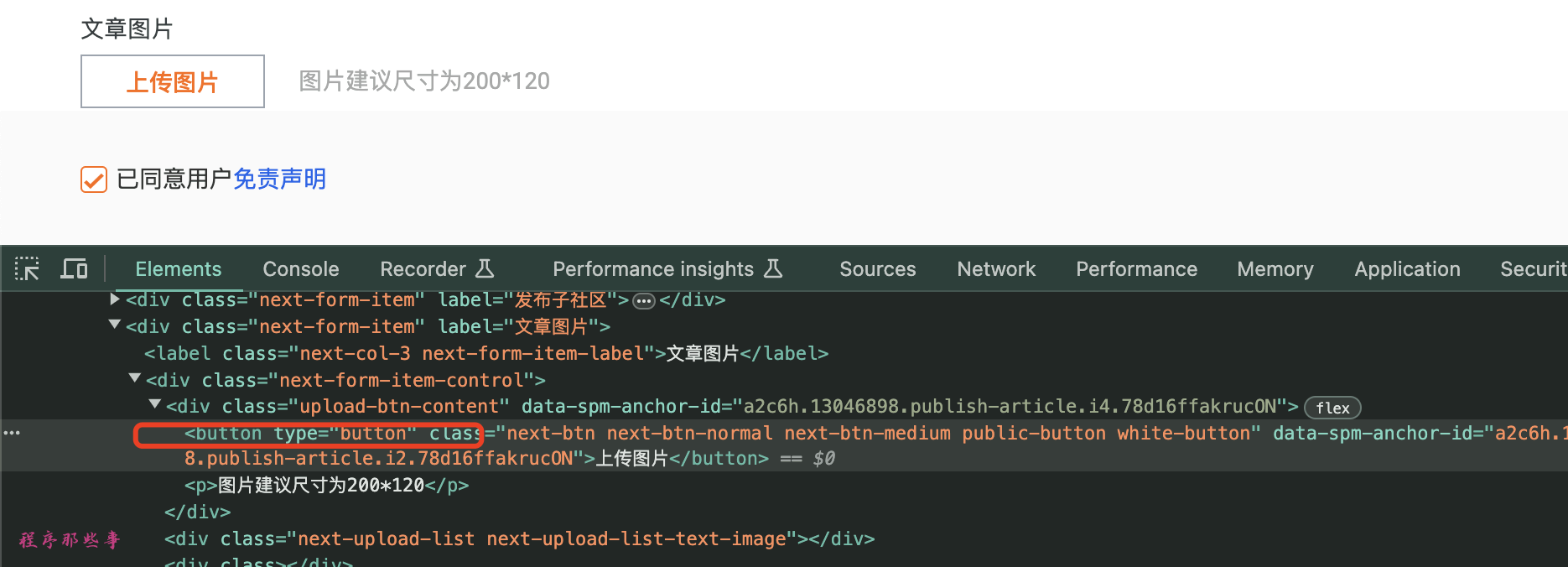
设置封面图片
设置标题
设置正文
设置摘要
发布博客
总结
最后更新于
这有帮助吗?
使用一键自动化博客发布工具blog-auto-publishing-tools把博客发布到阿里云上。
site: https://developer.aliyun.com/article/new#/最后更新于
这有帮助吗?
这有帮助吗?
# 文章的标题
title: 一键自动化博客发布工具,用过的人都说好(阿里云篇)
# 文章的内容
content: /Users/wayne/Downloads/blogthings/blogs/blog/projects/004-auto-blog-publish-tool-oschina.md
# 文章的摘要
summary: 使用一键自动化博客发布工具blog-auto-publishing-tools把博客发布到阿里云上。 # 文章标题
title = driver.find_element(By.XPATH, '//input[@placeholder="请填写标题"]')
title.clear()
if 'title' in front_matter['title'] and front_matter['title']:
title.send_keys(front_matter['title'])
else:
title.send_keys(common_config['title'])
time.sleep(2) # 等待3秒 # 文章内容 markdown版本
file_content = read_file_with_footer(common_config['content'])
content = driver.find_element(By.XPATH, '//div[@class="editor"]//textarea[@class="textarea"]')
content.send_keys(file_content)
time.sleep(3) # 等待3秒 # 摘要
if 'description' in front_matter['description'] and front_matter['description']:
summary = front_matter['description']
else:
summary = common_config['summary']
if summary:
summary_input = driver.find_element(By.XPATH, '//div[@class="abstractContent-box"]//textarea[@placeholder="请填写摘要"]')
summary_input.send_keys(summary) # 发布
if auto_publish:
publish_button = driver.find_element(By.XPATH, '//div[@class="publish-fixed-box-btn"]/button[contains(text(),"发布文章")]')
publish_button.click()